P — toggle presenter notes
Technopalooza 2026

Workshop 1

Context is the
Advantage

01 / 13

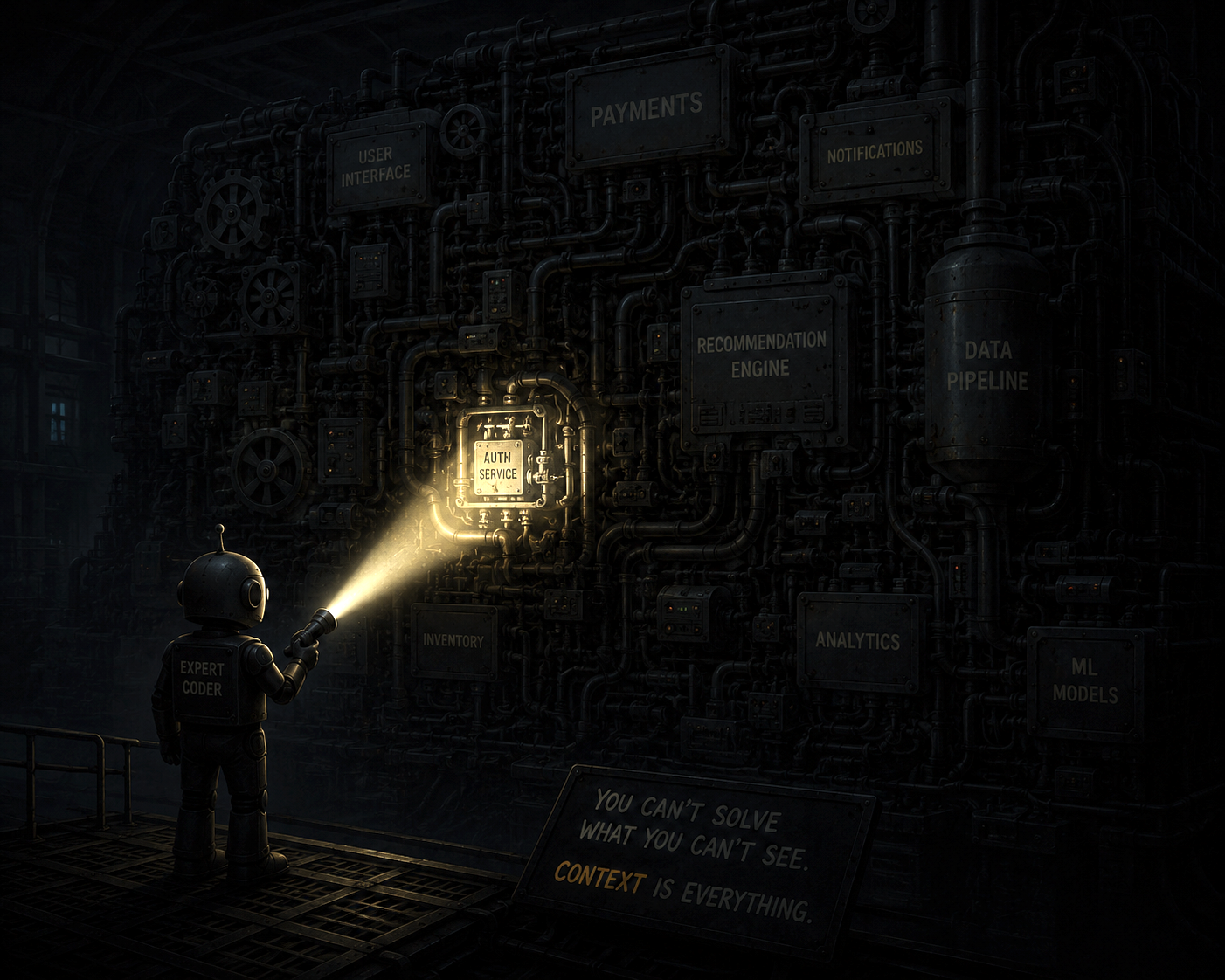
Your agent is like a new hire on day 1.

It knows the craft. It knows nothing about UOPX and your projects.

  • Ex #1Writes idiomatic React — but reaches for fetch instead of your apiClient wrapper. It's never seen your repo.
  • Ex #2Needs to stand up ECS infra — takes a week building it to match UOPX security, networking, and pipelines.
  • Ex #3Hears "financial plan," "reentry," "enrollment" — and guesses the generic meaning. Nobody handed it the glossary.
An expert-coder robot shines a flashlight on one lit module in a wall of dark systems — context is everything.
02 / 13

Vision:

🧠 Team OS 🛠 Code-Hub 🌐 Internet ☁ AWS 💬 Slack 📘 Confluence 📁 Repos 📋 Jira AI Agent AGENTS.md ↗
03 / 13
Goal for today: learn about 4 components to make your agents better.
04 / 13
1

AGENTS.md

The one file every harness reads first — your agent's entry point into any repo.

  • Sits at top of your working folder
    • — root level of a repo
    • — root level of a local workspace
  • Is usually read immediately by harnesses (Opencode, Codex)
  • The absolute basic starting point!! Agent will often be unaware of anything else unless specified or referenced here, or in your prompt.
  • Good for table of contents indexing where key documentation is, or critical rules
    • — never do this
    • — always do that
05 / 13
2

Team OS

A team-level shared, version-controlled knowledge base.

  • This rendition is based on Hannah Stulberg (DoorDash PM)'s specific GitHub template
  • Team information: scope, ownership, roles
  • Team standards: Jira standards, QA process, PR process, Agile ceremonies
  • Team knowledge: discovery results, meeting summaries
  • History: RFCs, retro decisions, incident logs
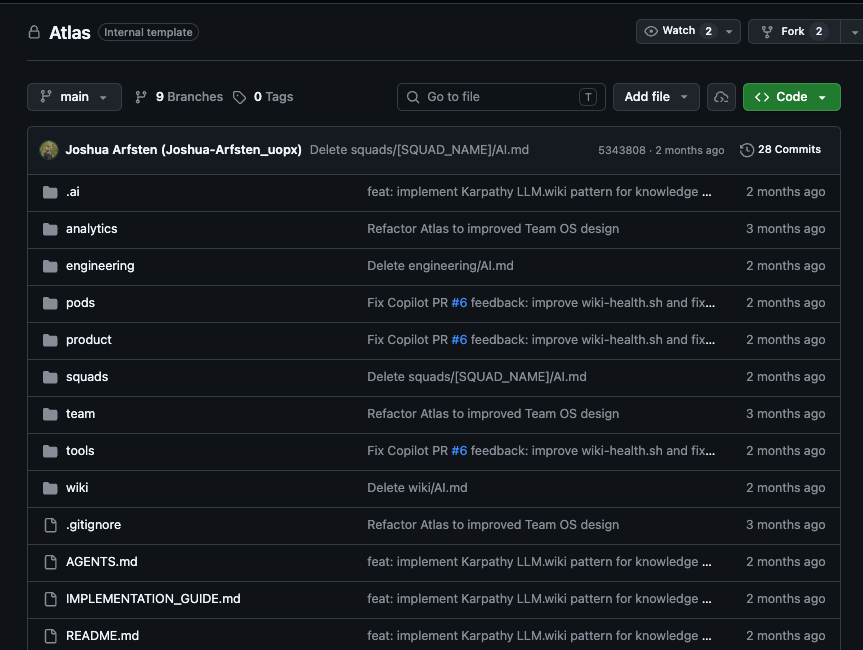
Image 1
🎙 Discussion Prompt The key reframe: this isn't one file, it's a knowledge base. AGENTS.md is just the index the harness reads first; everything else — standards, decisions, product research, meeting summaries, runbooks — lives in nested markdown that loads only when relevant. Same material onboards humans. The distillation pattern (Karpathy): raw sources like Slack, meetings, and incidents get summarized into a maintained wiki, not left as transcripts. Ask: "What does your team know that lives only in people's heads or in Slack scrollback?" That's the backlog for this repo.
06 / 13
3

Code-Hub

A curated catalog of reusable AI assets — shared across teams and harnesses.

  • Skills, agents, instructions, hooks, workflows — anything reusable that encodes how you work
  • Expertise knowledge - created/reviewed by SMEs
Ex #2 ECS infra, with context
  • A terraform skill installs — no relearning UOPX's account/subnet layout
  • aws-networking + aws-environment bring firewall and subnet patterns pre-loaded
  • iam-request generates least-privilege roles from org constants, not guesses
  • spacelift wires the stack up the same way every other team does
  • A week of trial-and-error → a task the agent gets right on the first pass.
🎙 Discussion Prompt Broaden past "skills": the catalog holds agents, instructions, hooks, and workflows too — anything reusable that encodes how we work. The chips shown are real skills from our code-hub; walk through one or two. Ask: "What standard or process have you explained to the model more than twice?" That's a candidate. Emphasize versioning and bundling — a skill ships with its own scripts and reference data, and when the standard changes you update it once instead of everyone carrying a stale copy.
07 / 13
4

Future - Org OS

Team OS, scaled to the whole organization — shipped through Code-Hub. Not today's task — where this is heading.

  • Team OS gives one team shared context; Org OS extends the same pattern org-wide
  • Ownership — every API, service, and event owned and tracked
  • How we work — engineering standards, ADRs, runbooks, and incident playbooks checked in as markdown
# org-os/ — org-wide knowledge base api-catalog/ ← OpenAPI & AsyncAPI for every service systems/ every app, module, AppDB component teams/ charters · ownership · on-call standards/ coding ADRs · PR conventions runbooks/ ops playbooks · incident guides gbrain/ schema pack — syncs to runtime
Team OS is one team's knowledge.
Org OS is the whole organization's — versioned, reviewed, machine-accessible.
🎙 Discussion Prompt Org OS is the same idea as Team OS, one level up: the org's API catalog, service ownership, standards, and runbooks, checked in as markdown-first docs and synced at runtime by GBrain. It is still early; the honest pitch is not "we have this" but "this is the shape of what to build." Ask: "Which piece would change your day most if it existed tomorrow — knowing who owns a service, having the API spec, or having a runbook the agent can actually follow?" Close with the call to action: commit an ADR, add an API spec, document a runbook. Every doc you write is context any agent reads, on every task, for every team.
08 / 13

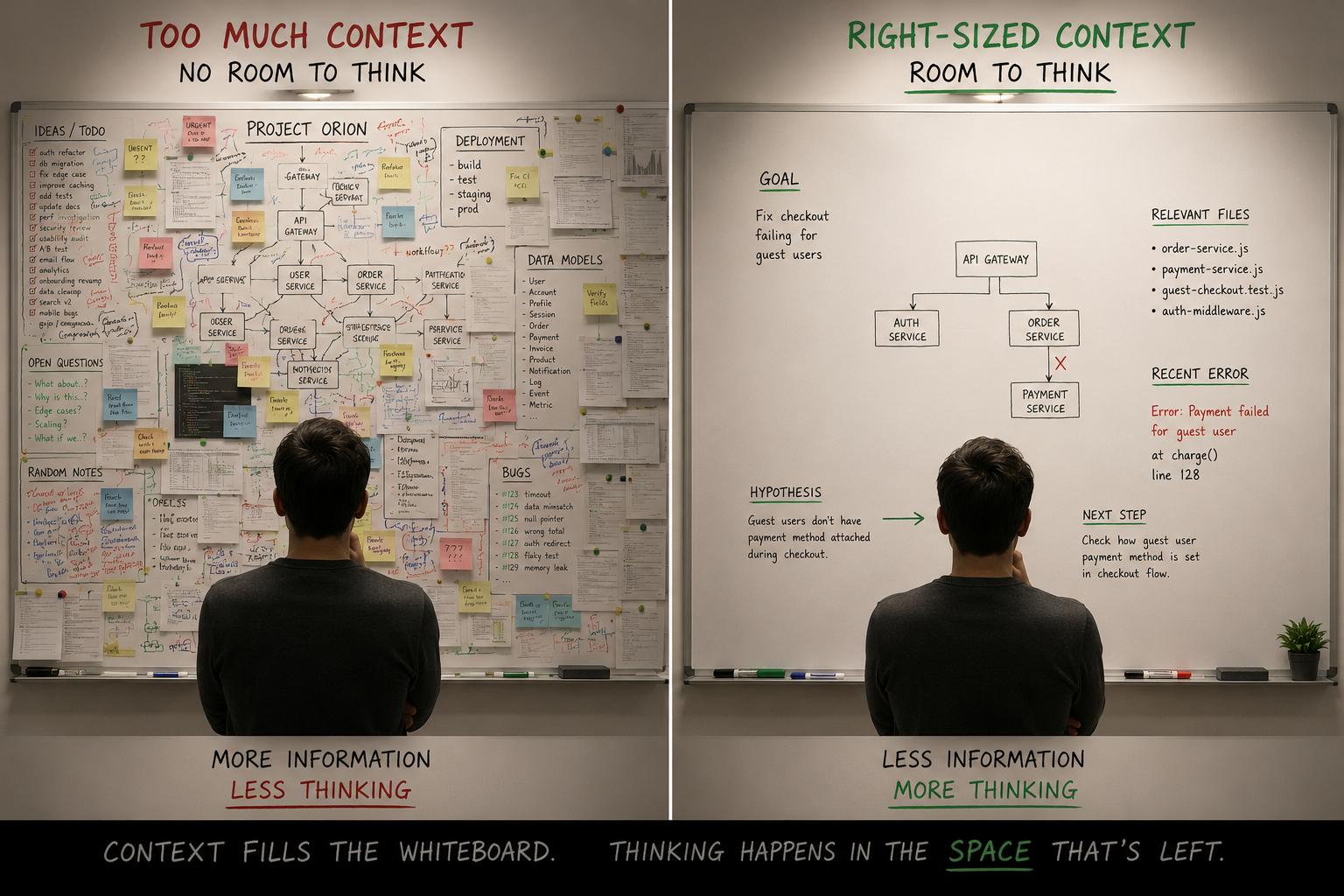
Keep context relevant and lean.

An LLM has a finite context window — part of its working memory. Fill it with noise and it loses track of what matters, just like a whiteboard covered wall-to-wall leaves no room to reason.

The cost of context — top tiers are paid every session
Always loaded
~/AGENTS.md
Every session, org-wide — must stay lean
Always loaded
repo/AGENTS.md
Every session, per repo — must stay lean
On demand
Skill catalog & MCP tools
Skills, plus live MCP tools like Jira/Confluence/Spacelift — minimal cost until invoked
On demand
Any files loaded on demand
Read only when the task actually needs them
Two whiteboards — one cluttered with no room to write, one clean with space to reason.
09 / 13

Hands-on overview: equip your agent with context.

Goal: it can take a well-described ticket, and understand the project context thoroughly enough to deliver work that can pass QA.
  • 1 Identify the gaps — what knowledge does your agent need to perform at that level? Examples:
    • Your tech stack, architecture, coding standards
    • Your project's business logic, terms, stakeholders
    • Your Jira story standards, release processes
  • 2 Write it out: (3 tasks we will give)
  • 3 Test it, then share your progress. More on the last slide.
Additional tips
📄 Effective context engineering for AI agents
anthropic.com/engineering

"Context engineering is the art and science of curating what will go into the limited context window from that constantly evolving universe of possible information."

10 / 13
A

Create an AGENTS.md for each repo

Project-level context — so your agent can take a Jira ticket and work it.

  • Project context - business logic, terms, stakeholders
    💡 If your project spans multiple repos, think about:
    • How to disseminate the docs across the repos and make it all traceable by AI
    • Or, put it in one central, AI-manageable space (one repo, or Confluence)
  • Tech stack & architecture
  • Testing & deployment steps
  • Basic coding conventions
  • How to run things locally
11 / 13
B

Create team-os for your team

Team-level context — standards, decisions, and knowledge that no single repo owns.

  • Fork uopx-agentic-engineering/Atlas into your team's GitHub org, or clone it locally to start
  • Naming convention: [team-name]-team-os
  • Have AI guide you through information to fill out
# Prompt to give your agent "Fork off of the Atlas Team OS template from github.com/uopx-agentic-engineering/Atlas." Name it [repo-name]. Then explain to me what it's about, and interview me about what info I want to add step by step, and I will give you the answers.
12 / 13
C

Organize your local workspace

Combine repos, team-os, and code-hub into one workspace your agent can navigate top-down.

  • One master-workspace/ folder, one root AGENTS.md as the anchor everything else hangs off
  • team-os/ and code-hub/ live as siblings to your repos — visible without leaving the workspace
  • Each repo keeps its own AGENTS.md — the upward tree-walk finds the root file automatically
  • This is what makes the on-demand tiers cheap — the agent only opens what a task actually touches
Recommendation
📁 master-workspace/
├── 📄 AGENTS.md    ← anchor
├── 📁 team-os/      standards · decisions
├── 📁 code-hub/     skills · workflows
├── 📁 repo-1/
│   └── 📄 AGENTS.md  ← repo context
├── 📁 repo-2/
│   └── 📄 AGENTS.md
└── ...
13 / 13
3

Test & share

The only way to know your context works is to ask a question only the new content can answer.

Ask your agent
"Based on our AGENTS.md / team-os, what are our coding standards for [X]?" or "What does [domain term] mean for our team?" — if it answers correctly from the new files, your context is working.
Post in #workshop-1-technopalooza-2026
  • What gaps your agent still has (be specific)
  • Which of A / B / C you tackled, and where those files live
  • What doc you wrote on the spot today